Messages & Communication
PlayerUp brings all your team communication into one place — built specifically for coaching. Instead of juggling texts, emails, and group chats, PlayerUp keeps every message connected to the practices, games, and feedback that matter.
Overview
Messages in PlayerUp are designed for how teams actually communicate — around training, development, and performance. Coaches can send direct or group messages, share voice notes, and attach comments to evaluations or events. Players can respond securely in-app, keeping all feedback, updates, and reminders in one organized thread.
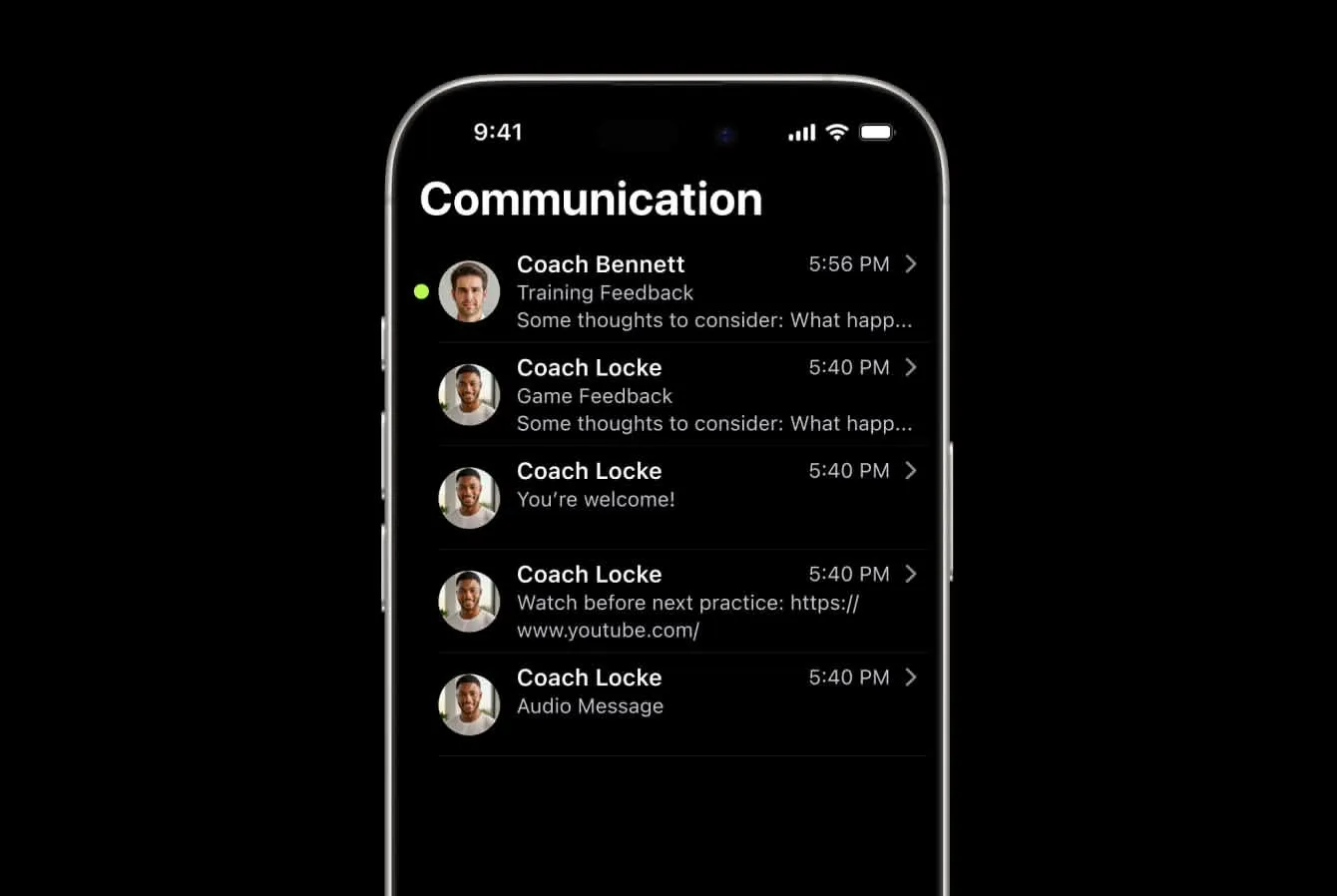
Unlike generic chat tools, PlayerUp’s communication system ties every conversation to real coaching context — helping teams stay focused on learning and growth, not logistics.
Who it’s for:
- Coaches needing a unified channel for feedback and team communication
- Players who want clarity and access to all their messages in one app
- Organizations aiming for secure, compliant, and centralized communication
How it works
- View all messages in one place
The Messages tab aggregates every active thread — direct, group, and event-based — for quick access. - Direct Messages (1:1)
Typically start when a coach leaves feedback for a player. Players can reply, ask questions, or reflect on their performance — creating an ongoing feedback loop tied to evaluations. - Group Messages
Coaches can broadcast announcements or voice messages to the whole team or staff. By default, only admins can reply — keeping communication clear and focused. - Event & Game Threads
Each event (like a practice or game) includes a contextual thread where coaches can share details, updates, or follow-ups. - Notifications & Delivery
Messages appear instantly in-app and can also send notifications via email or SMS, depending on team settings.
Key benefits
- Centralized, contextual communication
Every message lives alongside the data it references — a feedback note links to the event, evaluation, or player it came from. - Simplifies coach-player dialogue
No more lost texts or unclear threads; communication stays organized and relevant. - Builds stronger coach-player relationships
Regular, structured communication helps players feel supported and connected to their development. - Saves time and reduces confusion
Broadcast updates and reminders in one tap, reaching the right audience instantly. - Integrated with feedback and goals
Messages automatically connect to Evaluations, Goals, and Events for a continuous learning cycle.






See it in action
Experience how simple it is to plan, run, and track tryouts from your phone. Watch the demo and explore the full workflow in under 2 minutes.